B
Part of the Bridgr ecosystem
Explore Bridgr →
Video → text → voice · Runs on your own machine · Free

Give your video a professional voice.

Your video already has the words in it. Narration Studio takes that text, reads it aloud in a voice you pick, and gives you audio that stays perfectly in step with what is on screen.

Version 0.1.0 · Also available as a portable zip, and the full source.

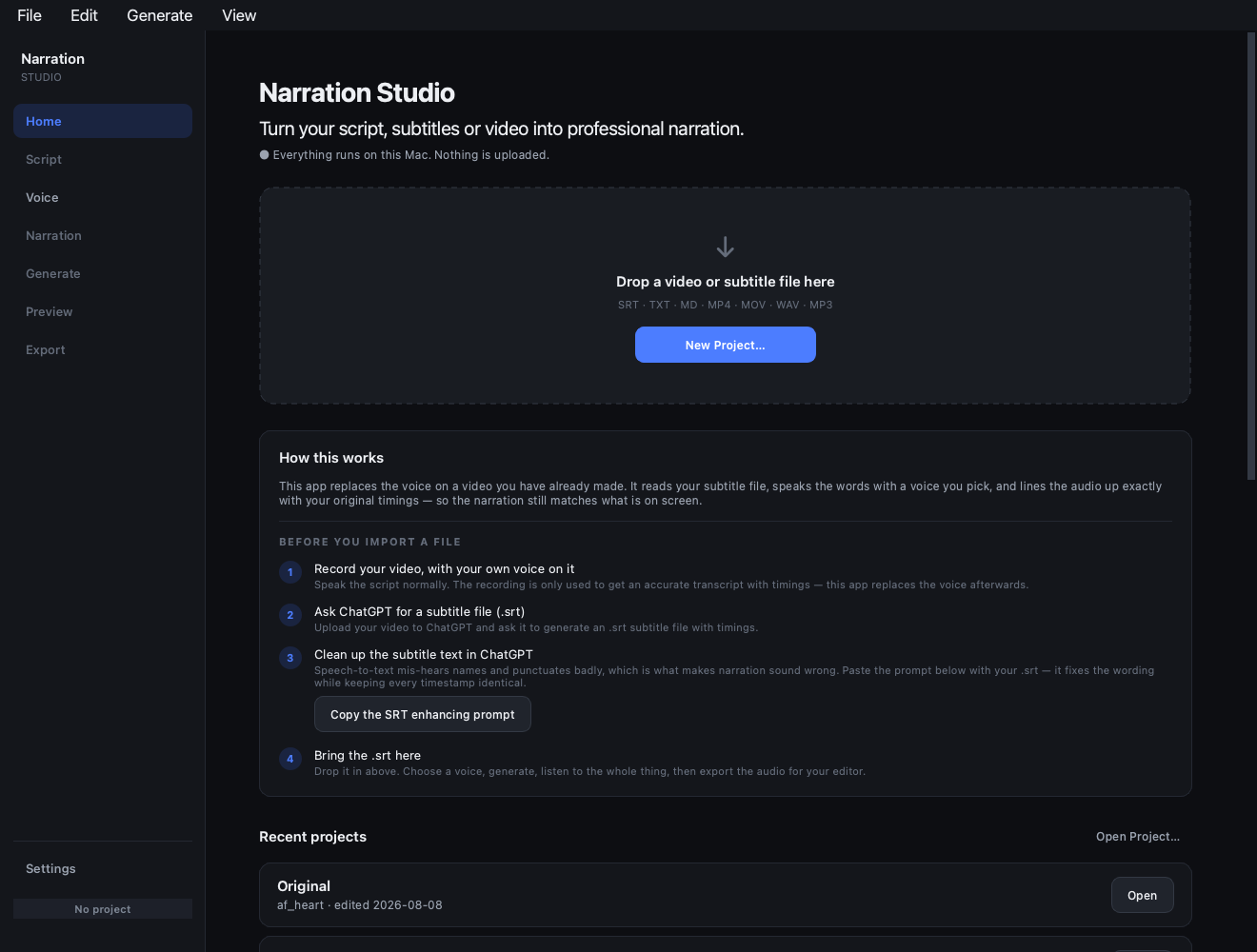
Narration Studio home screen, showing the drop area and the four steps
Drop in your text and the app walks you through the rest.
Why it sounds real

It reads whole sentences, not fragments.

Text taken from a video arrives in short lines, each tied to a moment in the picture. One sentence usually runs across two or three of them. This is where most tools go wrong.

Line 30…brings together practical clinical references across
Line 31pediatrics and neonatology. These include emergency resources…

✕  Reading each line on its own

The voice stops dead in the middle of the sentence, then waits in silence until the next line is due. You get a robotic pause every few seconds, and long gaps wherever the speaking runs short.

✓  Narration Studio

Lines that belong to the same sentence are read together, in one breath. The words on screen still change exactly when they should — the voice simply does not stop with them.

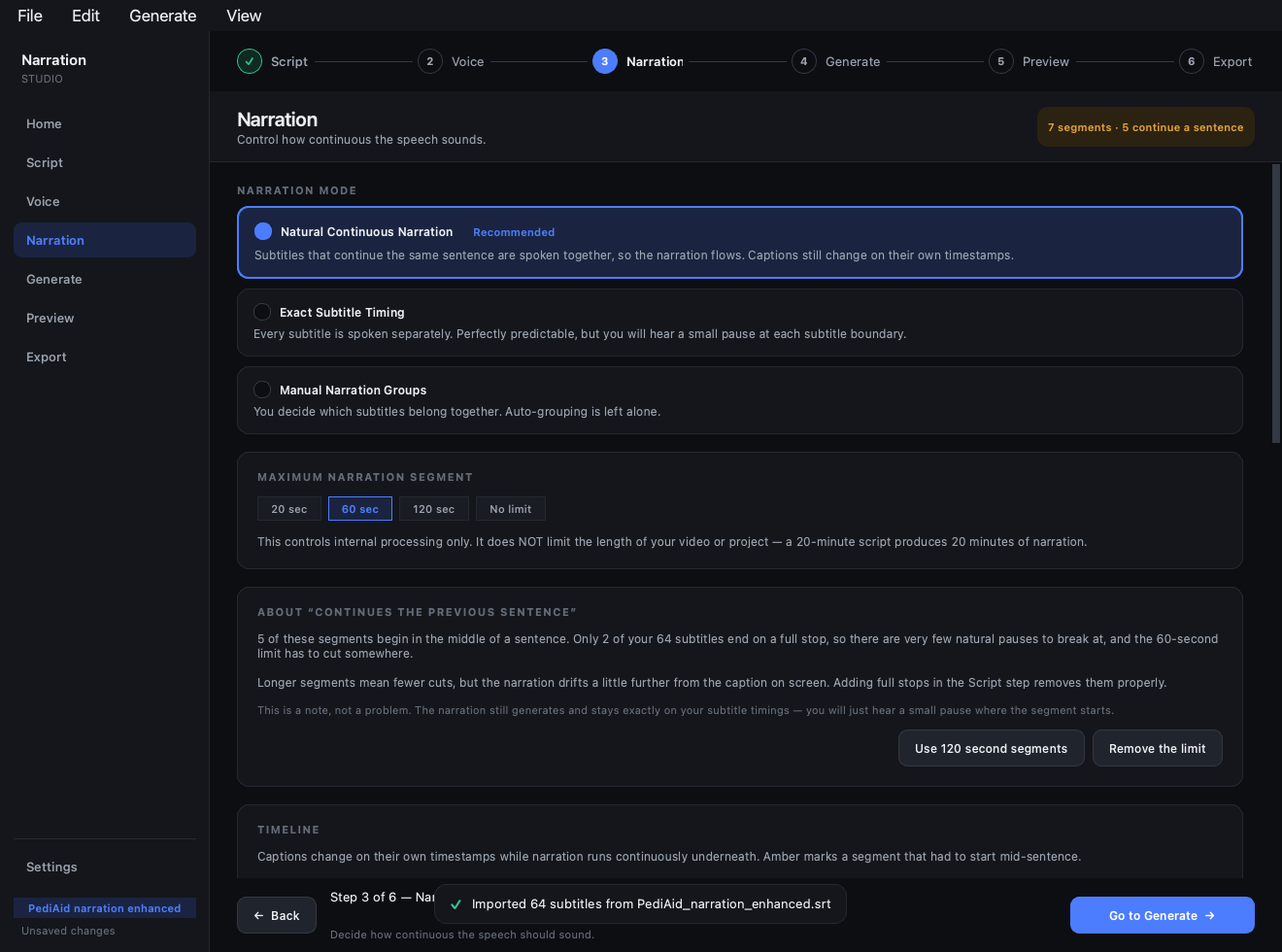
The narration screen showing the text, voice and audio lanes on one timeline
The words on screen change inside one unbroken stretch of speech.
How it works

You do not have to write a word.

Drop your video in. If your voice is already on it, the app writes the script itself. If the video is silent, ChatGPT writes it — and the app hands you the prompt.

1

Drop your video in

A screen recording is fine. Narration Studio checks whether there is any voice on it and takes the right route from there.

2

Already spoke over it? You are done here

The app listens to your video, writes down every word with the exact time you said it, and shows you the result to correct. No uploading, no other tools, no waiting on anyone’s servers — it all happens on your own machine.

3

Silent video? Ask ChatGPT for the words

Upload the video to ChatGPT and ask it to write a voice-over script with timings, as an .srt — it watches the video and tells you what to say and when. Paste in the prompt from the app at the same time and it will also tidy the wording so it reads naturally aloud. Then drop that file in.

4

Pick a voice and listen

Choose a voice, press generate, listen to the whole thing, then save the audio for your video editor. The timings never move.

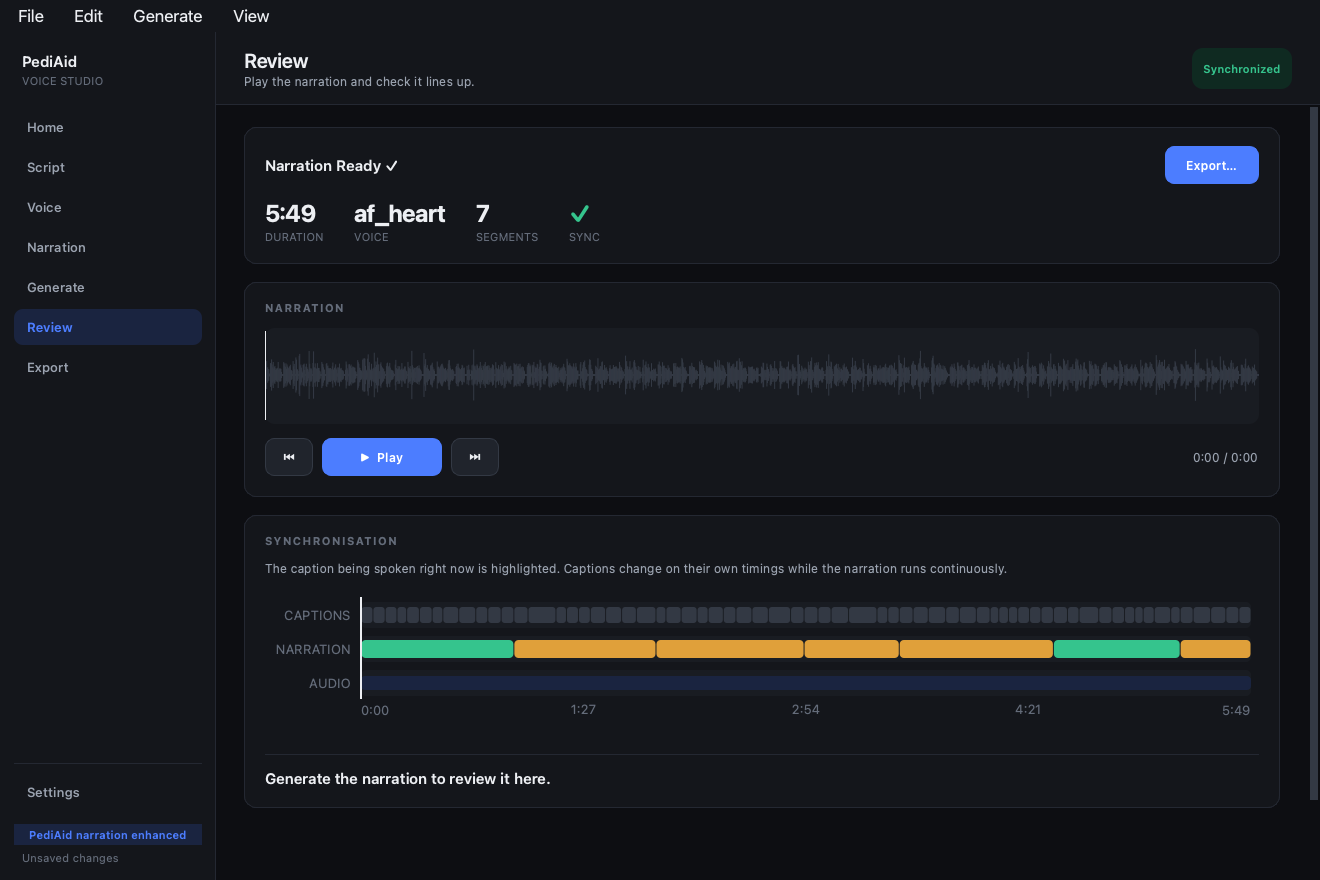
The preview screen with a waveform, playback controls and a timeline
Play it all the way through and watch the line being spoken light up as you go.
What you get

Built around one promise: it never drifts out of step.

👂

It writes the script for you

Already talked over your video? Drop it in and the app listens, writes down every word, and keeps the exact moment you said each one. No other tool, no upload, no typing it out.

🎯

Always in step

Every piece of speech is placed at its own moment on the clock, not after whatever came before. If one runs short, nothing else slides out of place.

🗣️

Voices to choose from

Male and female — warm, bright, deep, calm. Hear any of them read a sample line before you decide.

🔒

Nothing leaves your machine

All speech is generated locally. No account, no upload, no telemetry, no analytics. Works offline after setup.

⏱️

Never cut off mid-word

Speech that runs long is sped up very slightly, keeping the voice's natural pitch. Speech that runs short is eased out to fill the space instead of leaving silence.

📝

Names said properly

Teach it your product names and jargon once. A separate list fixes how things are pronounced without changing the words people read.

⚠️

It always tells you what happened

Everything is checked before it starts. If something goes wrong you get plain English and a suggested fix — never a spinner that quietly gives up.

🎬

Ready for your editor

A WAV or MP3 exactly as long as your video's words. Drop it straight onto the timeline in Premiere, Resolve, Kdenlive or iMovie.

💾

Quick to change your mind

Reword one line and only that part is made again. You are not waiting for the whole video every time.
Before you install

What you need.

RequirementDetail
Operating systemmacOS 12 or newer · Windows 10 or 11
Python3.12 or newer — python.org. On Windows tick “Add python.exe to PATH”.
Anything elseNo. Everything the app needs comes with it — no Homebrew, no Terminal, nothing to add to your PATH.
Disk spaceAbout 3 GB for the voice, downloaded once the first time you open it. Letting it listen to a video adds about 500 MB more, also once.
What you feed itA video with your voice on it — the app writes the script itself. Or your video’s words with their timings, the file any captioning tool or ChatGPT gives you (.srt). Plain text works too.

The first time you open it takes a few minutes

The download is tiny because the voice itself is fetched once, the first time you open the app, rather than packed inside it. You will see a window showing the progress. Every time you open it after that is instant.

Neither installer is code-signed, so macOS needs right-click ▸ Open the first time, and Windows SmartScreen needs More infoRun anyway. Code signing requires paid developer certificates on both platforms.